

This feature is available on paid plans.
Option 1: Visit the Support Center directly
Go to support.smartcar.com. You’ll be redirected to the Smartcar Dashboard to log in with your Dashboard credentials.Option 2: From the Smartcar Dashboard
- Log in at dashboard.smartcar.com.
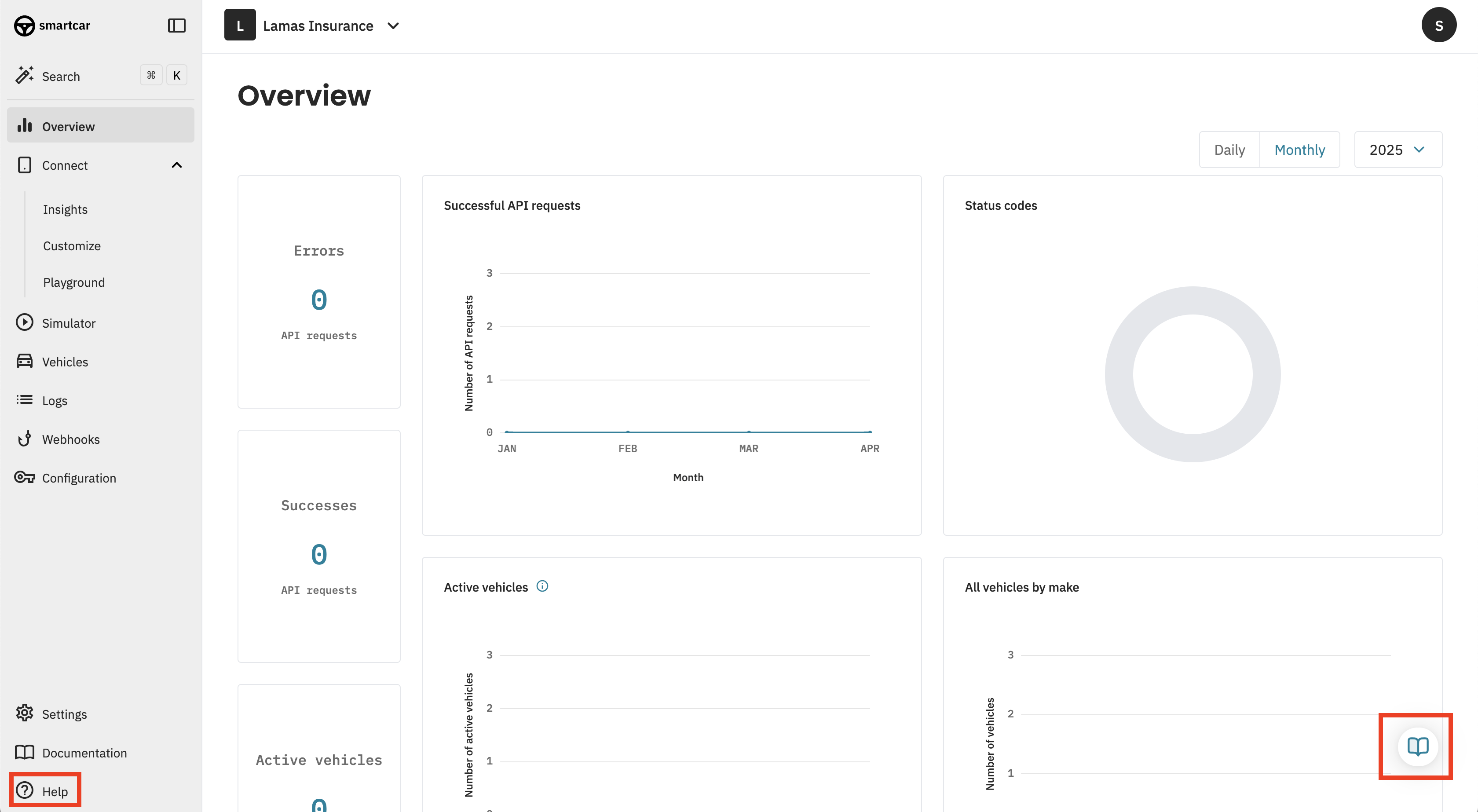
- Click the Help icon in the bottom-left corner, or the Help Hub icon in the bottom-right.
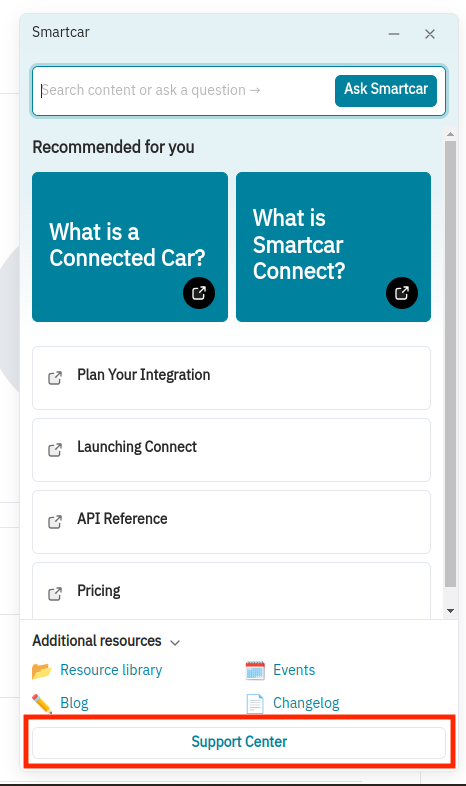
- Select the Support Center option to be redirected to the full Support Center.
For information about email, changelog, status, and brand reliability subscriptions, see Subscribing to Smartcar Updates and Notifications.